Task 2: Structural attitude determination from a digital elevation model
Now that you have the ability through Task 1 to recognize bedding in a high-resolution digital elevation model by the expression of the beds in the topography, you are ready to do this in a program I have written in Matlab I call findSD.
1. Make sure you paths are set In Matlab (you should know how to do this by now).
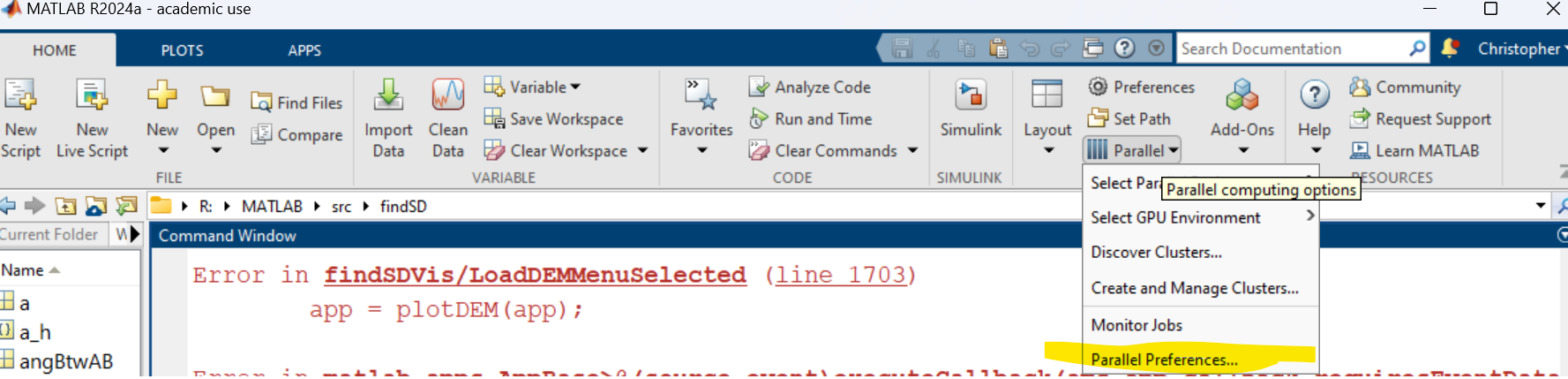
2. The geo lab machine's Matlab configuration is not handling parallel processes. So you have to turn off the Parallel Processor in Matlab. You do this by choosing Parallel Processes from the Environment Tab:
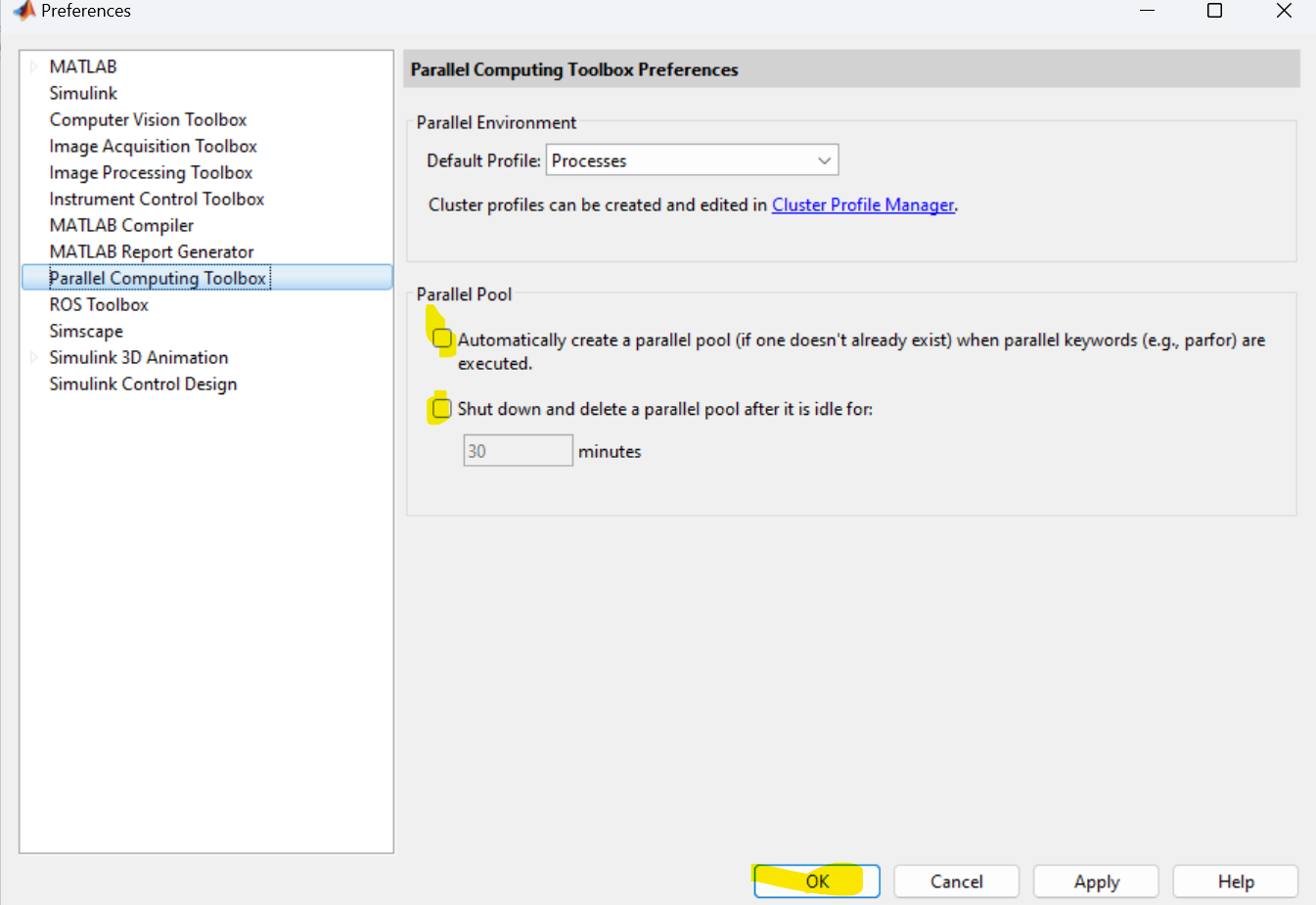
And unchecking the two boxes and saving:
3. Now type at the command prompt:
>findSDVis
This will present you with the main window below
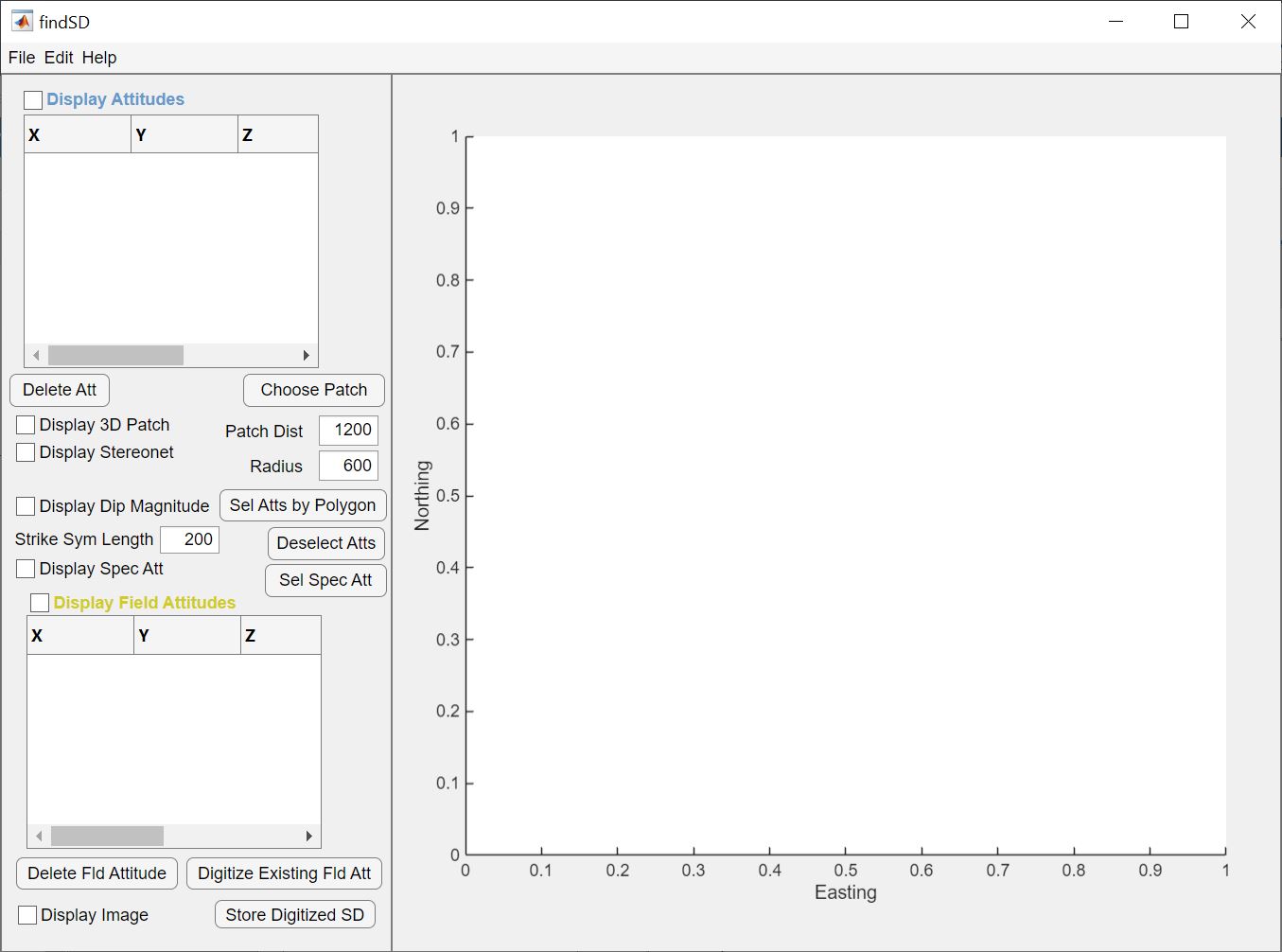
You can access the manual for findSD by going to the Help Menu and choosing the Help. Please look through all of this, and truly read pages 6 through 10. This will describe how youcan extract bedding attitudes using the program. Note, it should be really similar to what you did in Task 1.
4. After you have read the man pages, load the DEM located at R:\courses\EEG_250_Winter_2025\Geologic_Maps_and_Sections\Goshen_data\Goshen_1m_lidar.tif
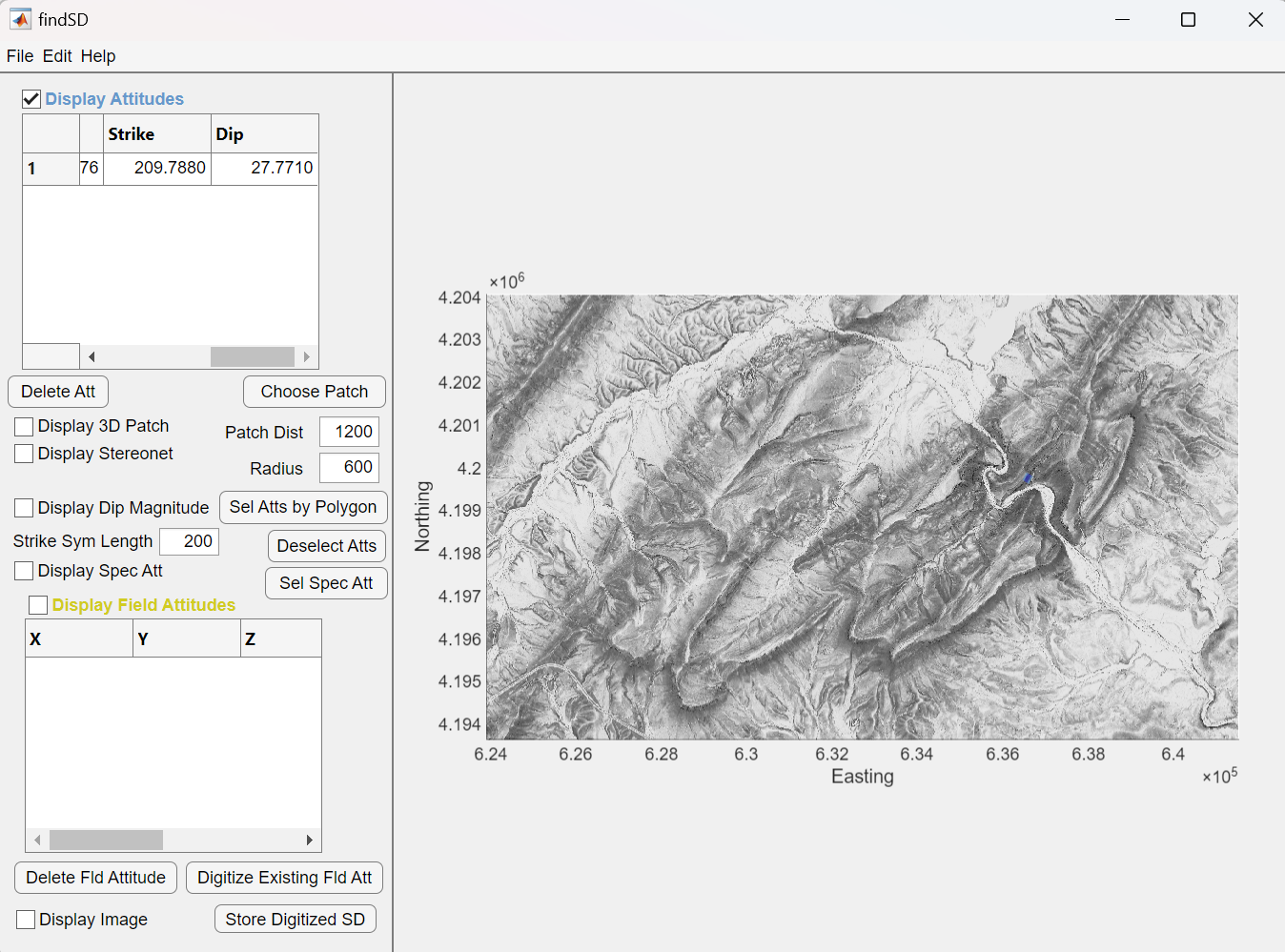
5. Now use the workflow described in the manual to Choose Patch, Digitize Formline, Store Attitude to measure at least 25 bedding attitudes. You do not have to cover the whole area of the DEM. It is probably better to focus on a certain part to fullfill step #7 below. NOTE, IT IS VERY IMPORTANT THAT YOU INSPECT EACH CALCULATED ATTITUDE TO VERIFY THAT YOU HAVE CAPTURED THE REPRESENTATIVE ATTITUDE. You do this by spinning the 3D model around, looking down the strike and the dip as discussed in the manual.
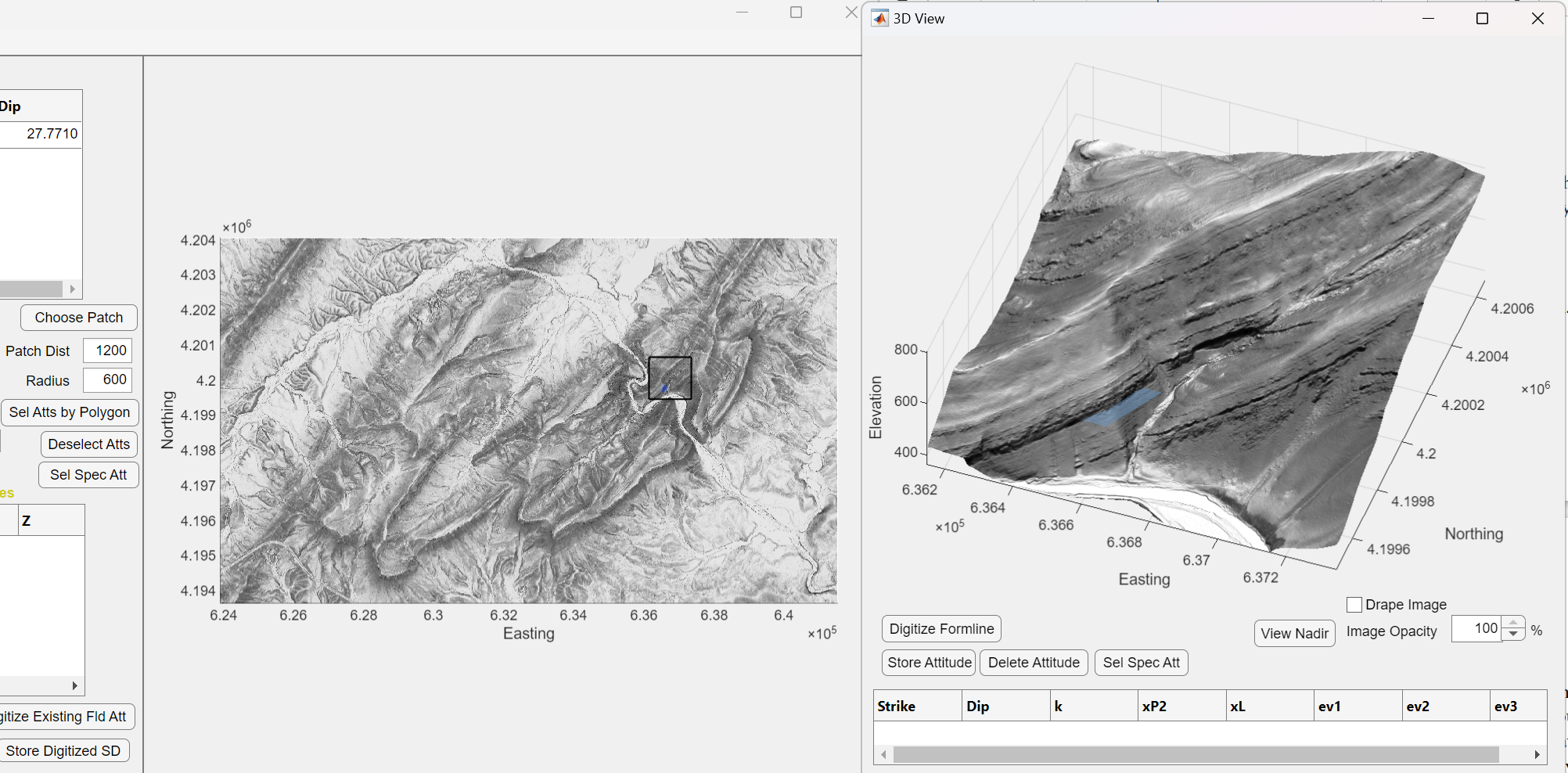
6. Save the attitudes to a file on your Q or R folder for this class so that we can open them up again later to make use of them to help us understand the structure in the area. The filename should be something that refers to what it is and your last name (such as "atts_Goshen_Connors". findSD will append a .mat to the file name.
7. Find a 3D view that shows an anticline or a syncline as inferred by the lidar and supported by measurements you made of the strike and dip and make a screen capture of it. Usually the best view is one that looks down the hinge (fold axis) and shows the limbs on either side.
8. Now email me the atts file you saved and the screen capture of the 3D view.